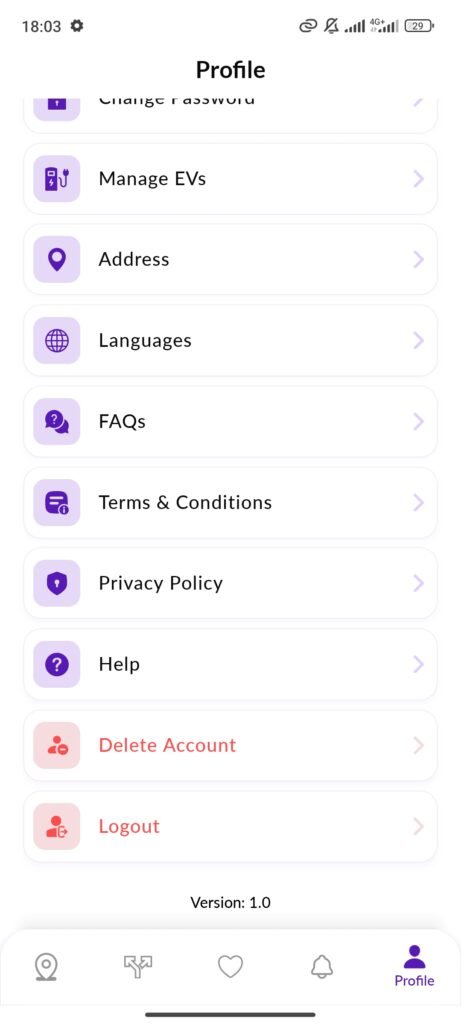
Log in to your ConnectVolt account and navigate to the Profile section located in the bottom-right corner of the navigation bar.
Step 2: Choose "Delete Account"
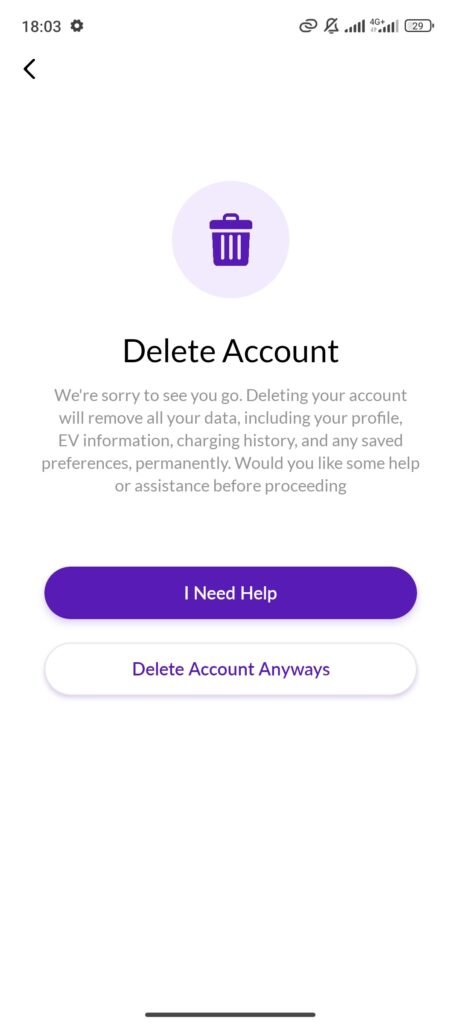
Scroll through the profile settings and click on the red Delete Account button. A pop-up will appear explaining the consequences of deletion. If you are certain, proceed by clicking Delete Account Anyways.
Step 3: Confirm Account Deletion
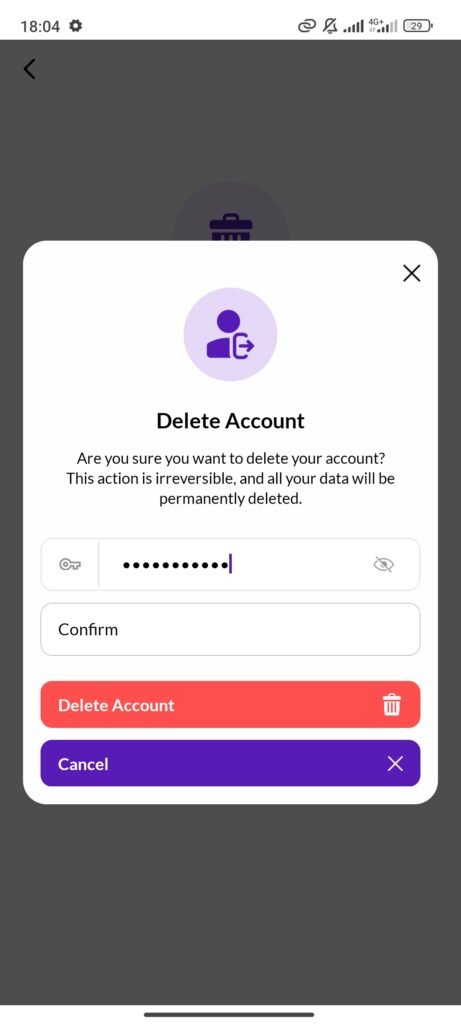
Enter your password in the confirmation field and type "Confirm" as requested. Finally, click the red Delete Account button to permanently remove your account and all associated data.